The problem we were trying to solve
For meeting-heavy users, logging time usually happens at the end of the week and relies heavily on memory. In practice, this means leaving the product, checking calendar events, then manually recreating that context in the time tracker.
We wanted to answer a simple question:
What if meetings were already there, inside the the product where users add time on items?
Key constraints
The Weekly View needed to stay easy to scan even for users with many meetings.Calendar events had to fit alongside worklogs without adding visual or interaction complexity.
Success criteria
Users should be able to log meeting time faster and with more confidence. Meeting time should be captured accurately without relying on memory or changing existing habits.
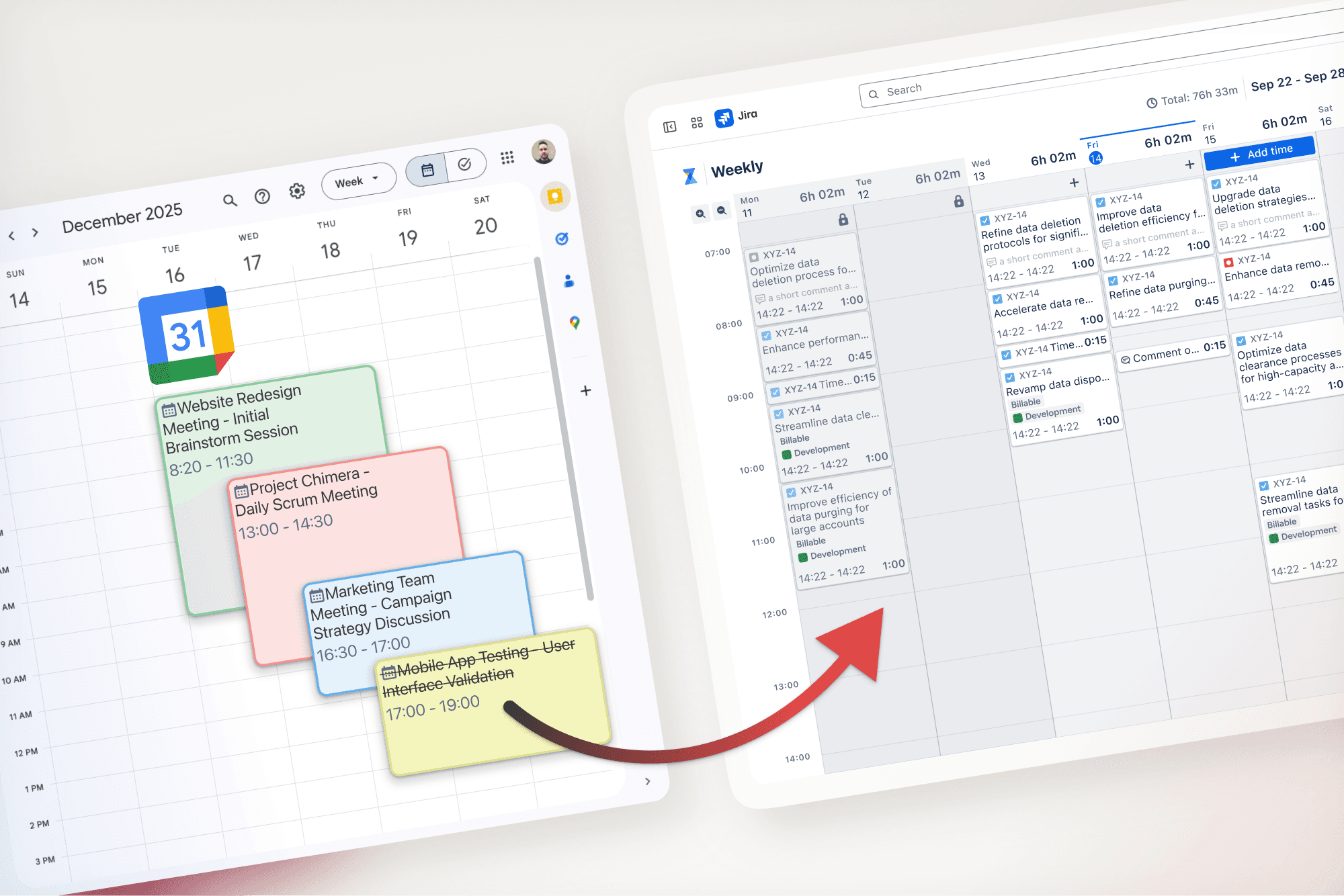
Early exploration focused on how calendar events could live next to worklogs without making the Weekly View harder to scan, while preserving a clear mental model between reference events and logged time.
During exploration, several structural questions guided the work:
How calendar events should relate to work logs without breaking reporting
How much detail could be shown without overwhelming an already dense view
How recurring meetings could be handled without repetitive manual entry
Through unmoderated usability testing, we validated these assumptions using realistic, retrospective time-logging scenarios.
Key learnings from testing included:
Users preferred detailed calendar events over compact or stacked representations
Compact indicators were often overlooked, especially on busy days
Overlapping views reduced confidence and made users worry they were missing meetings
Based on these findings, the solution was refined through a series of targeted adjustments:
Defaulted to full event visibility to support confident scanning
Strengthened visual separation between calendar events and work logs
Clarified permission and read-only behavior to build trust
Introduced bulk actions to support logging time for recurring meetings efficiently
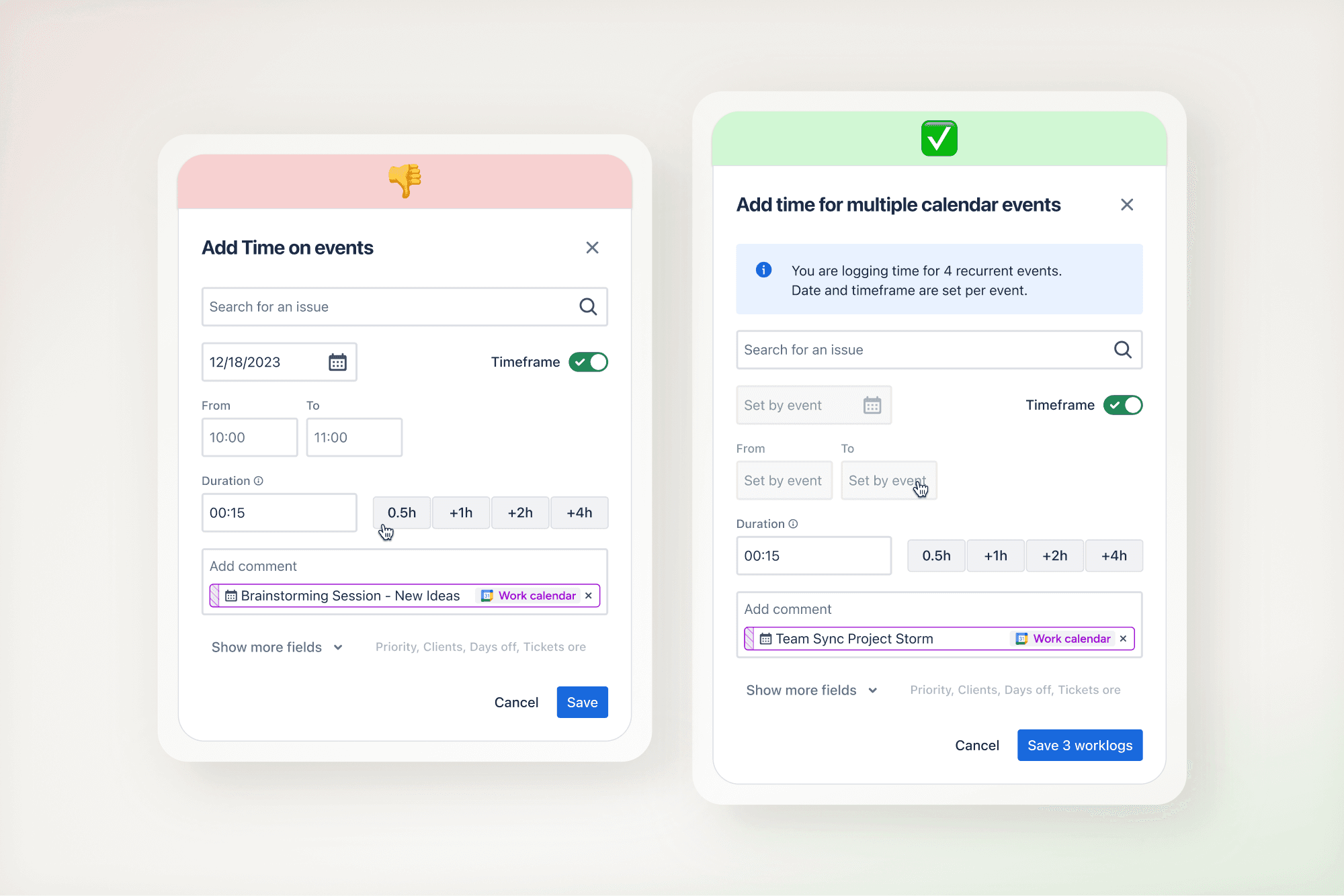
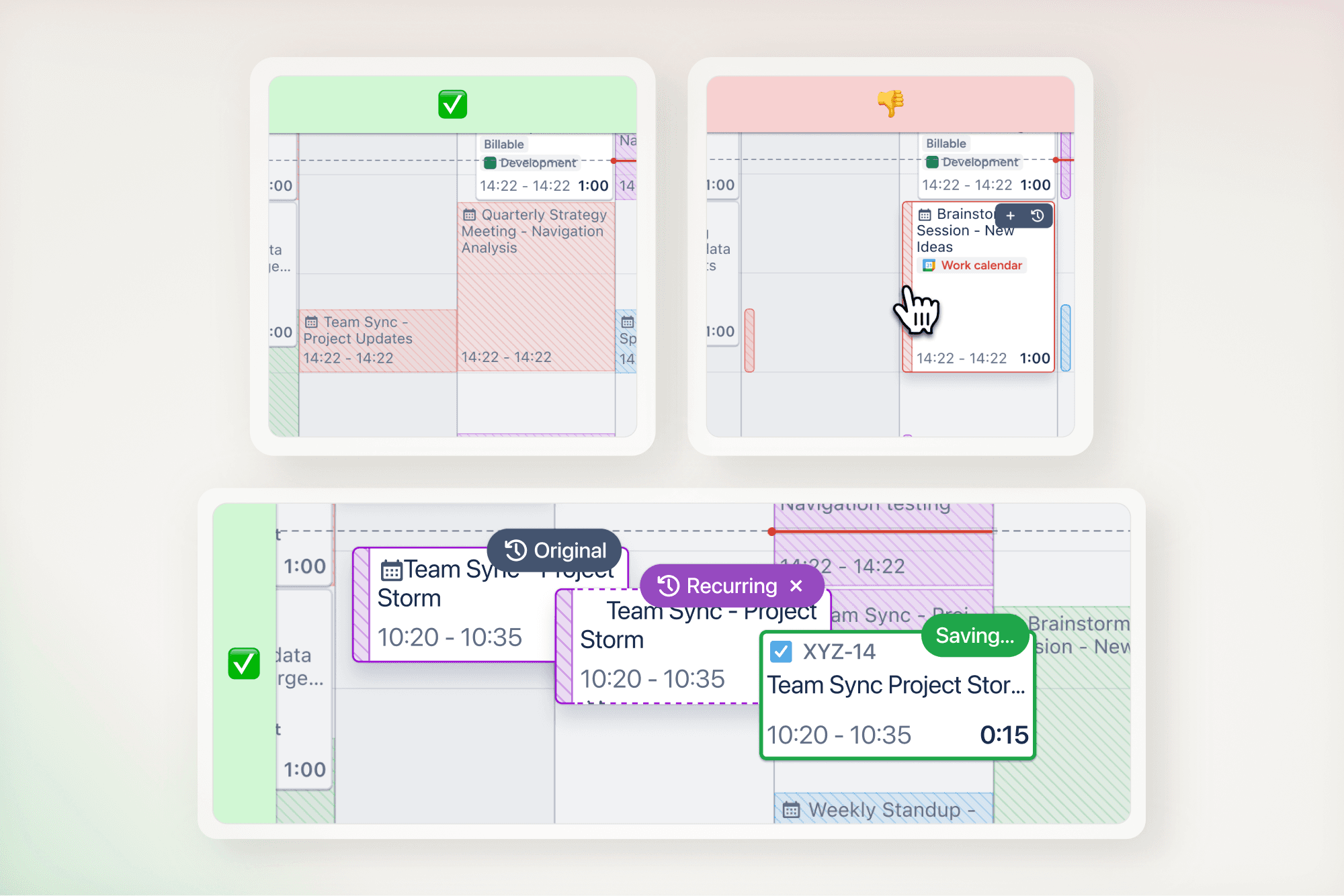
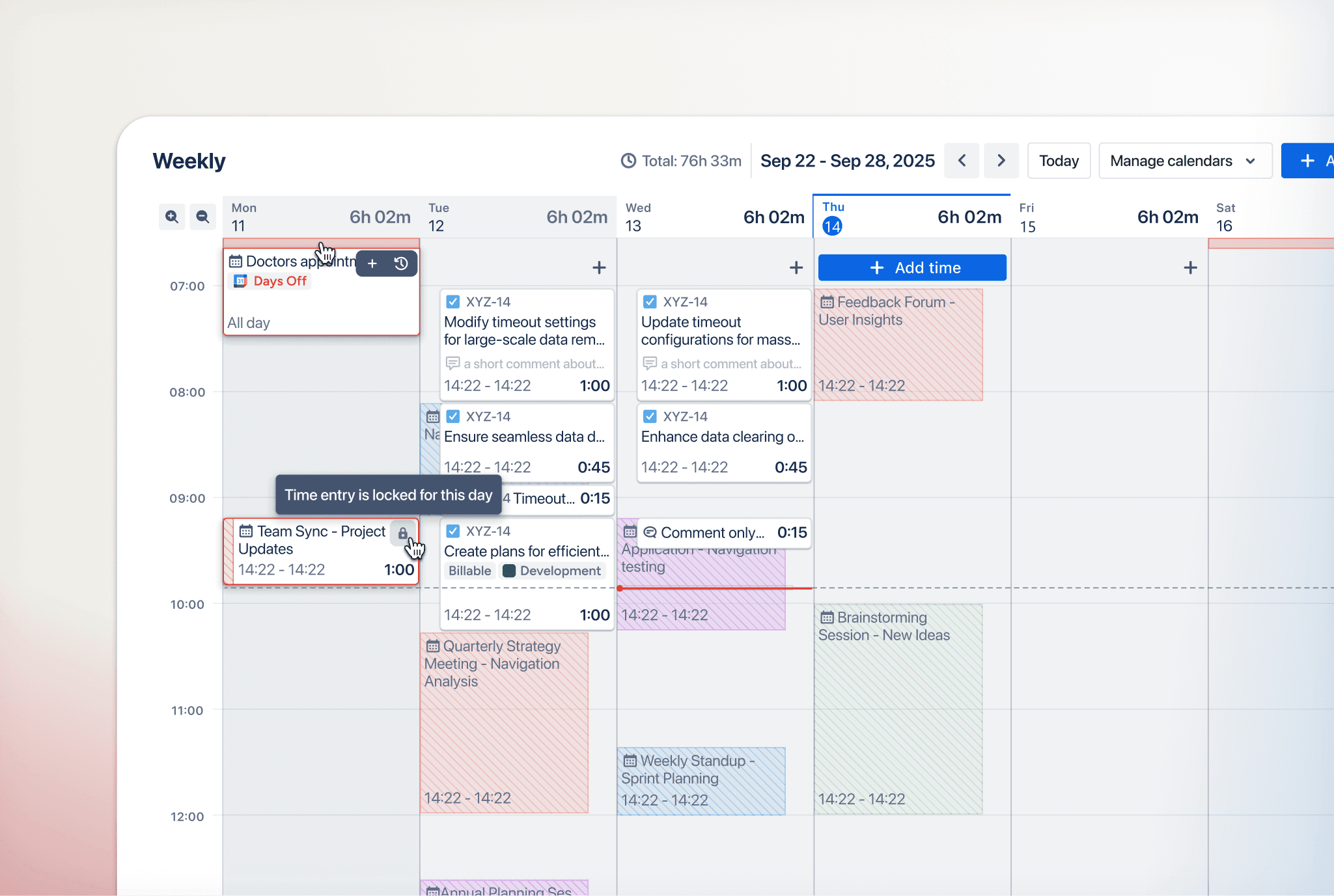
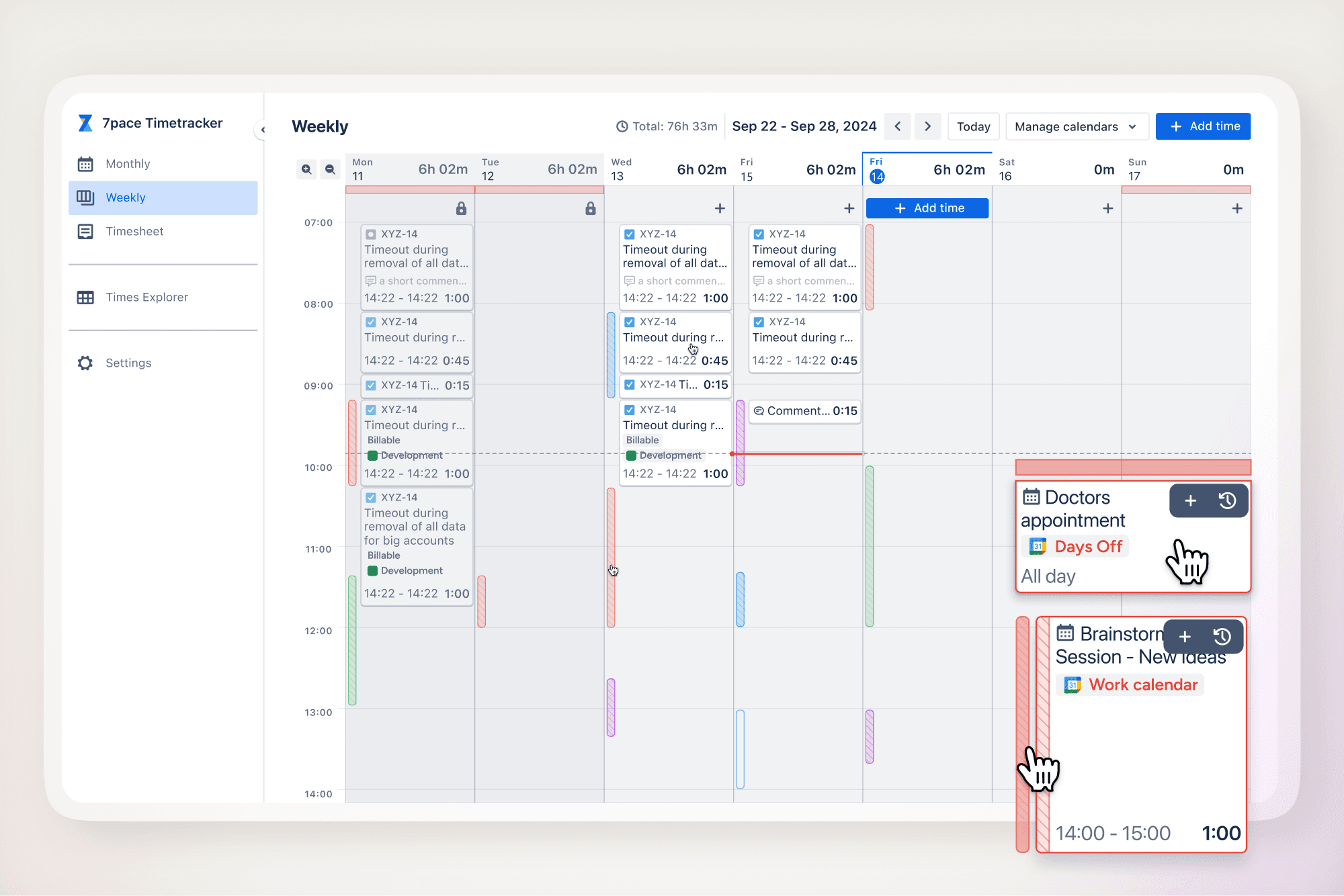
Meetings and events are directly embedded into the Weekly View.
Users can see calendar events, log time directly on them, log time for multiple similar events through one simple and intuitive interface, and link that time to platform work items, all without leaving the time tracker application.
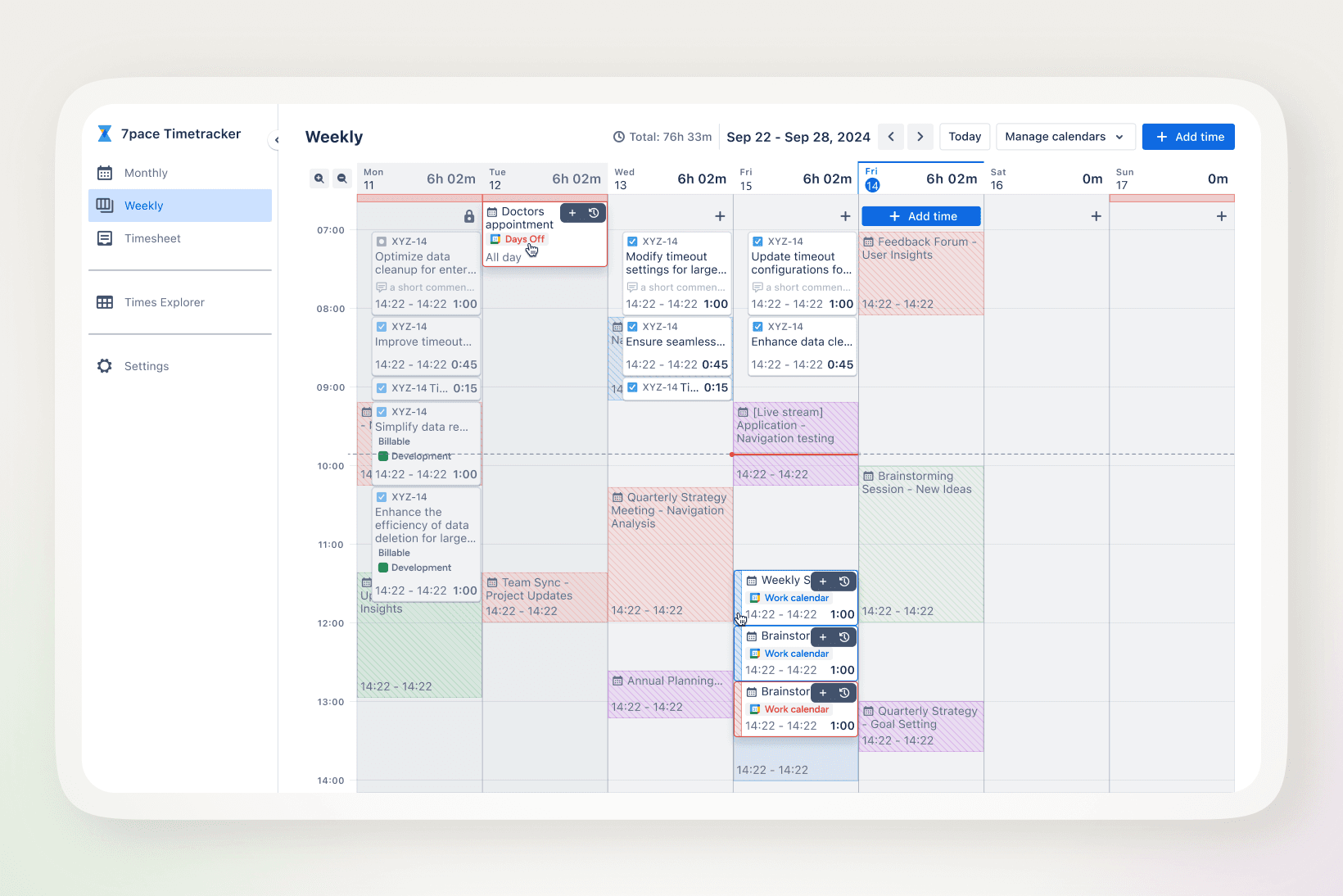
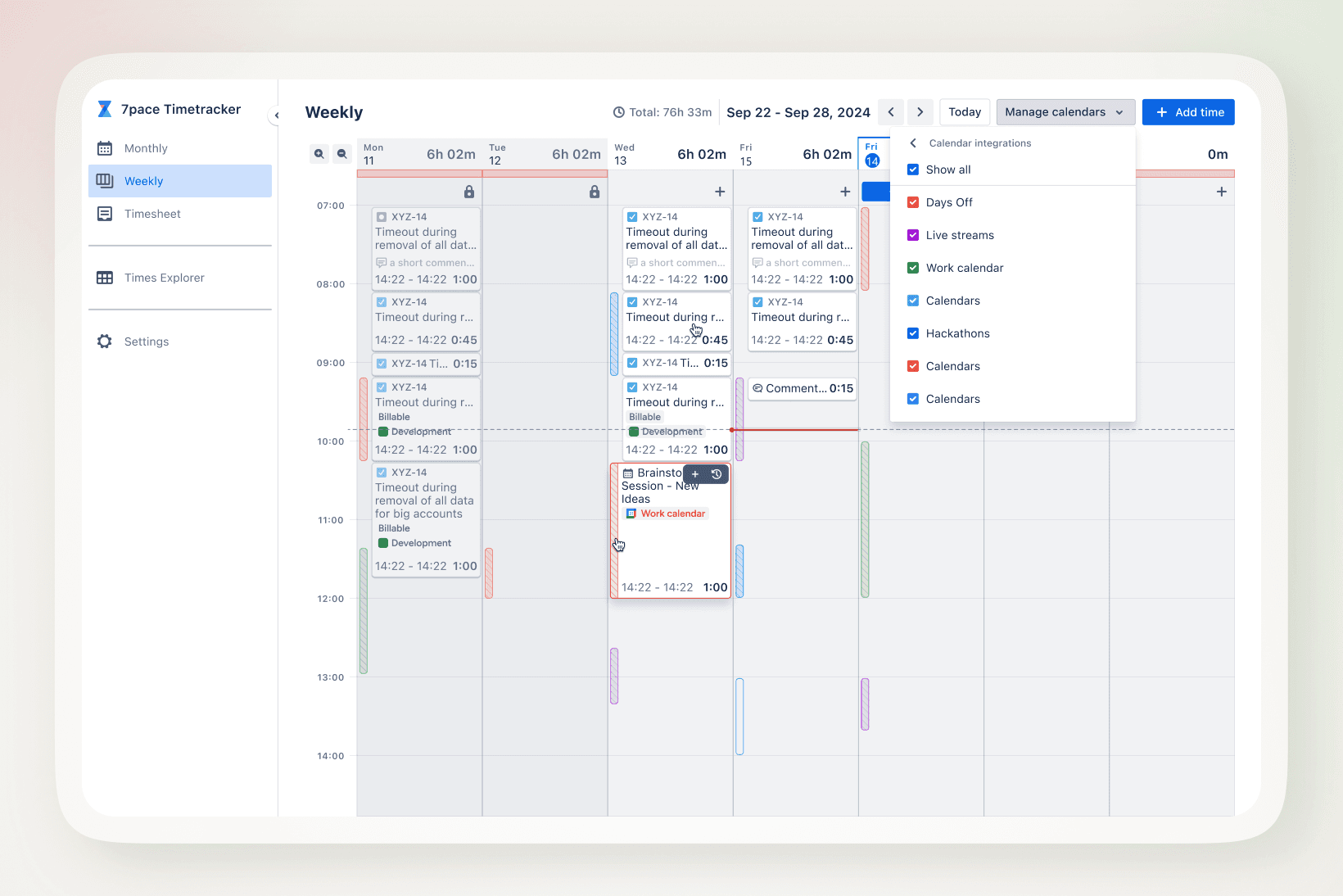
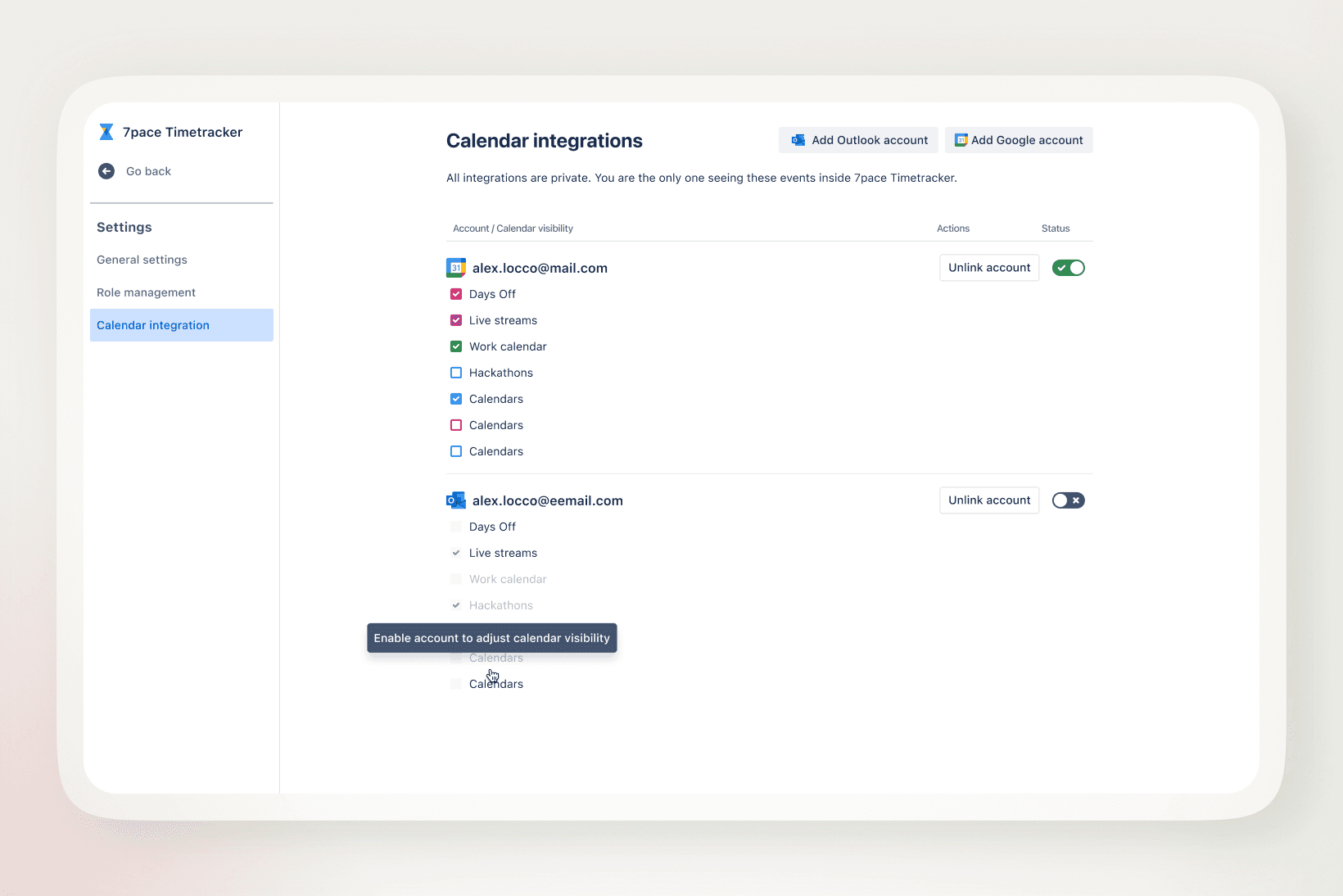
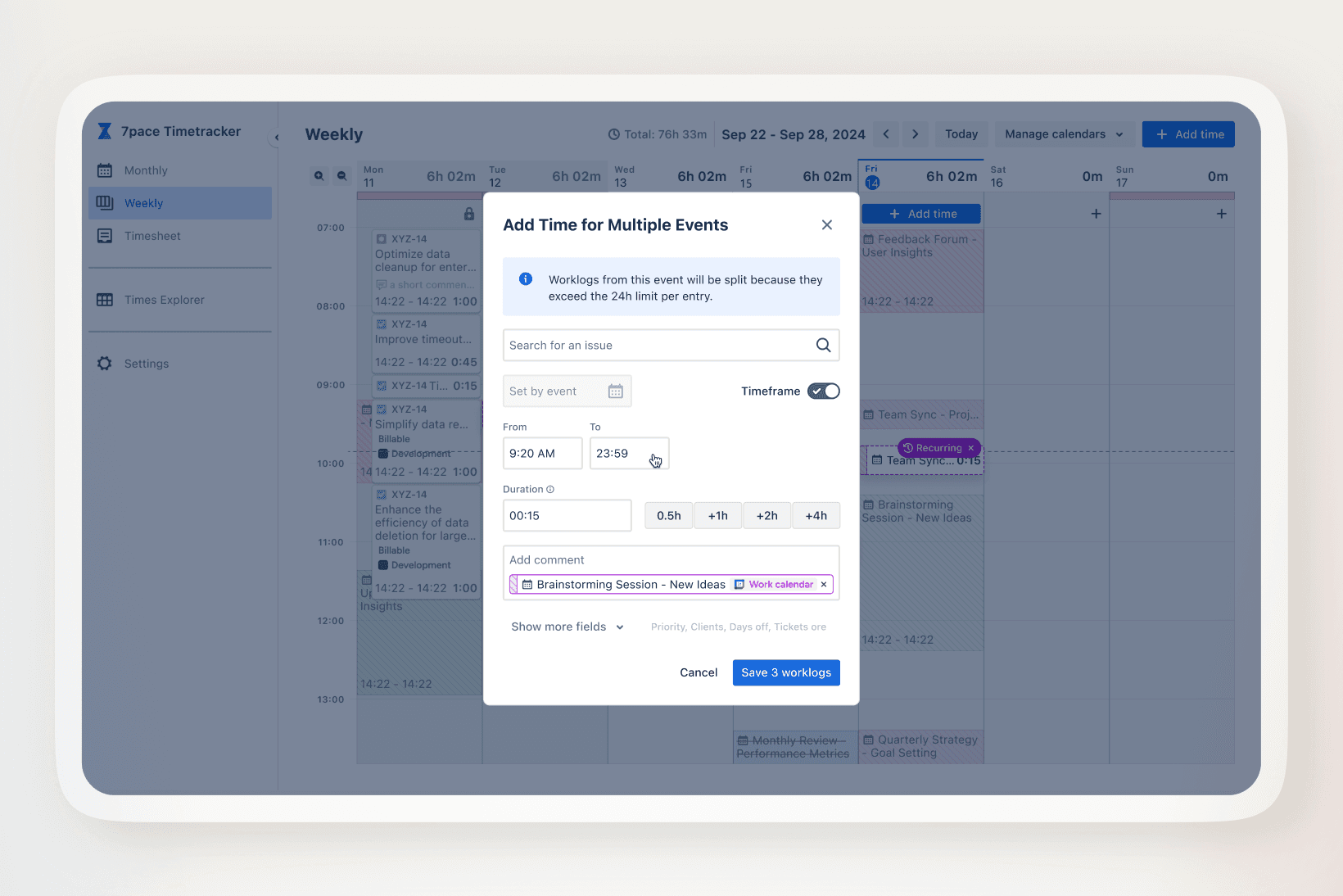
Logging time for meetings became faster and more reliable by removing context switching between calendar tools and the time tracker.
By embedding meetings directly into the Weekly View, we supported adoption of a newly introduced workflow and reduced recall-based errors, without forcing users to change existing habits.
What this project reinforced:
Accuracy beats convenience
Users struggled more with trust than speed. Anchoring time entry in real context mattered most.
Context reduces cognitive load
Seeing when work happened was more valuable than optimizing how fast it could be logged.
Familiar patterns scale better
Reusing known interactions reduced friction across personas and platforms.